Physical Address
304 North Cardinal St.
Dorchester Center, MA 02124
Physical Address
304 North Cardinal St.
Dorchester Center, MA 02124

I was standing in my garage at 11 p.m., scrolling through twenty minutes of grainy footage from a poorly placed battery camera, trying to find a single clear frame of someone walking past my driveway. The camera had died three hours earlier. I had missed the whole thing. That was the moment I realized my security setup was not working. I needed something that recorded constantly, stored footage locally, and did not depend on Wi-Fi strength or battery charge. After weeks of reading specs and watching setup videos, I landed on the eufy 4K NVR security camera system review rabbit hole and eventually bought the S4 Max kit with eight cameras and an 8TB hard drive. It was an experiment I was genuinely skeptical about.
Disclosure: Some links in this article are affiliate links. We may earn a commission if you buy through them. This does not influence our findings or recommendations.
The short answer on eufy 4K NVR Security Camera System S4 Max
| Tested for | Three months of continuous 24/7 recording on a single-story home with a large backyard and driveway. Cameras mounted under eaves, on a fence post, and overlooking a side gate. Eight-camera kit, all wired via PoE. |
| Best suited to | Homeowners who want true 24/7 recording with local storage, no subscription fees, and the ability to track movement across a wide property without dead zones. |
| Not suited to | Anyone looking for a quick weekend install, renters who cannot drill through walls, or people on a tight budget — this system demands planning and a firm commitment. |
| Price at review | 2199.99USD |
| Would I buy it again | Yes, but only after confirming that wired PoE runs are feasible for every camera location. If even one corner required a wireless compromise, I would reconsider the whole layout. |
Full reasoning below. Or check the current price here if you have already decided.
Let me be clear about what the eufy S4 Max NVR system actually is. It is a Power over Ethernet (PoE) security system built around a central network video recorder (NVR) that stores footage locally on a hard drive. The kit I tested includes an 8-channel NVR with a pre-installed 8TB drive, plus eight wired cameras that draw both power and data through a single Ethernet cable each. This is not a wireless system. You cannot just stick these cameras on a shelf and expect them to work. They need a physical connection back to the NVR or a PoE switch. I have written about wired vs. wireless tools before, and the same principle applies here: wired systems are more work upfront but vastly more reliable.
What this is not is a simple plug-and-play consumer gadget like a video doorbell. It is also not a cloud-based system — there are no subscription fees, but you are responsible for maintaining the hardware. The brand, eufy Security, is a subsidiary of Anker, which gives me some confidence in long-term support, but their recent privacy controversies around cloud storage claims mean I pay close attention to how they handle data. You can read more about that directly from eufy’s official site. In the market, this system sits firmly in the premium consumer tier. It is not commercial-grade, but it costs more than most consumer kits because it includes the NVR and large storage out of the box. On that front, my eufy S4 Max NVR review and rating started with cautious optimism.
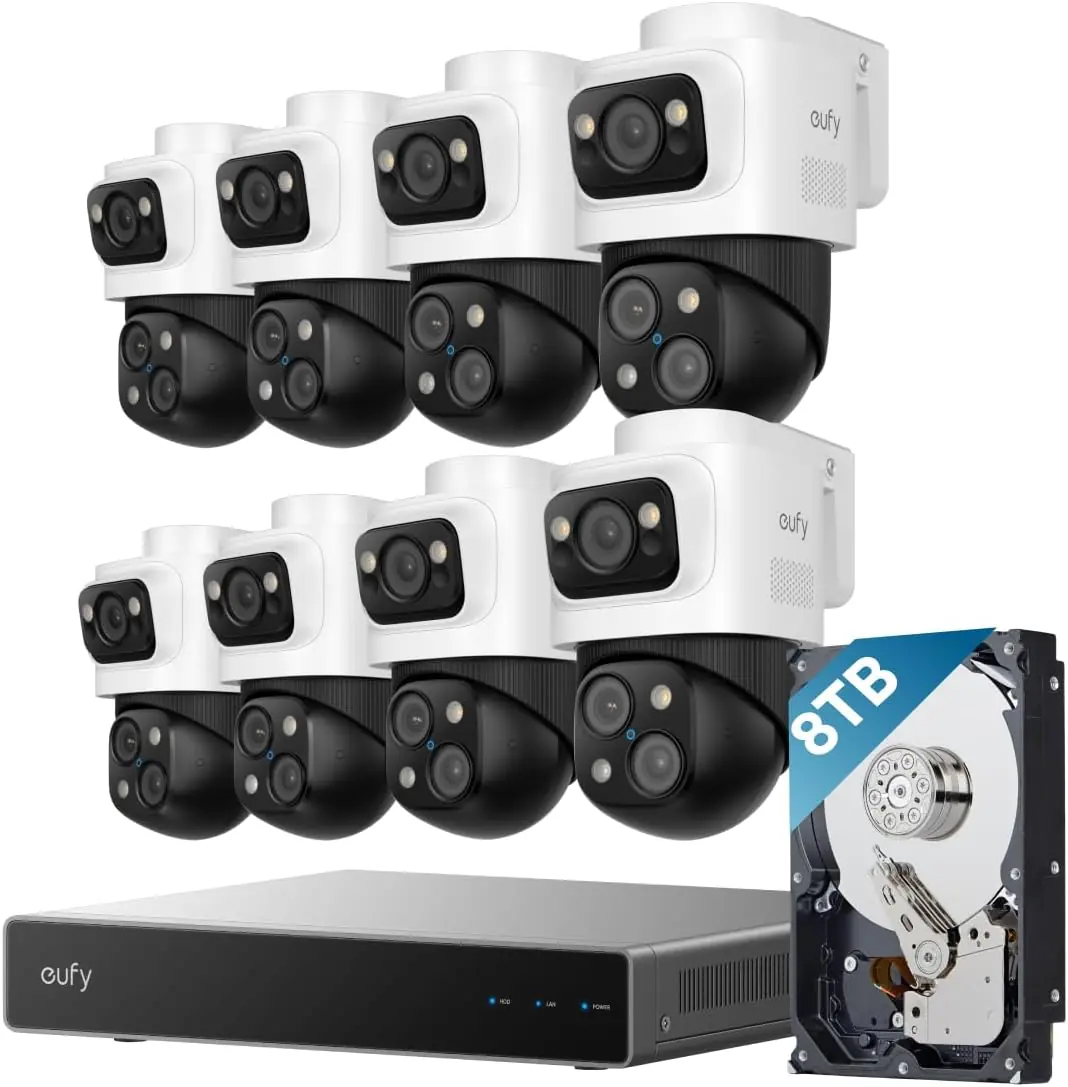
Opening the box was a heavy event. The NVR unit itself is substantial — 13.5 x 7.13 x 17.42 inches — and comes with a pre-installed 8TB hard drive. The package includes eight PoE Cam S4 units, four 59-foot Ethernet cables, one shorter 3.3-foot cable, an HDMI cable, a USB mouse, mounting brackets, screw packs, and waterproof cover packs. Missing from the box: any PoE switch if you plan to expand beyond the NVR’s built-in ports, a monitor (you need your own for initial setup), and any drill template. The packaging is utilitarian — thick cardboard, foam inserts, separate compartments for each camera. It feels like a proper hardware purchase, not a consumer electronics impulse buy. The first impression of the cameras themselves was positive. The metal housing is solid, the lens housings feel sealed, and the bullet-style cameras have a satisfying weight. However, I noticed that the included Ethernet cables are not shielded, which could be an issue for very long runs or areas with high electrical interference. If you plan to run cables through walls, you will likely want to buy your own bulk Cat6, as I did.
Running the Ethernet cables took a full afternoon. I had to drill through exterior walls, fish cables through an attic, and terminate my own connectors because the included cables were too short for one camera location. Connecting everything was straightforward: plug each camera into the NVR’s PoE ports, connect the NVR to your router via Ethernet, and power it on. The NVR’s GUI appeared on my monitor via HDMI within 90 seconds. The on-screen setup wizard walked me through hard drive initialization and network configuration. That part was painless.
The eufy app is essential for remote viewing, and it took me about an hour to understand how it maps to the NVR. The camera naming convention is not intuitive — cameras appear as “Camera 1” through “Camera 8” with no easy way to rename them during initial setup. You have to go into each camera’s settings individually. The PTZ controls for the bullet-PTZ cameras require a bit of practice, especially when setting up patrol routes. Someone with no prior NVR experience would likely spend a weekend getting comfortable.
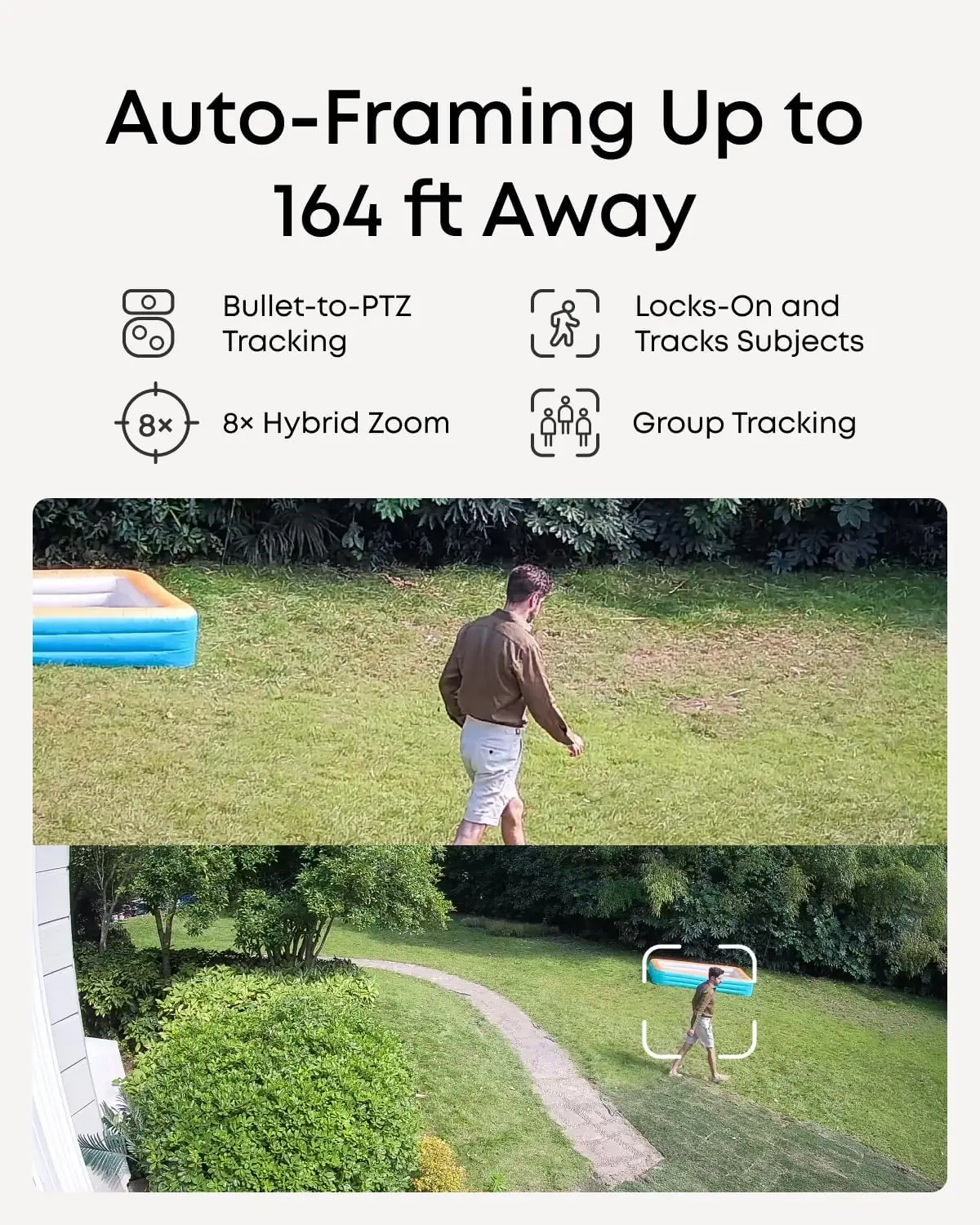
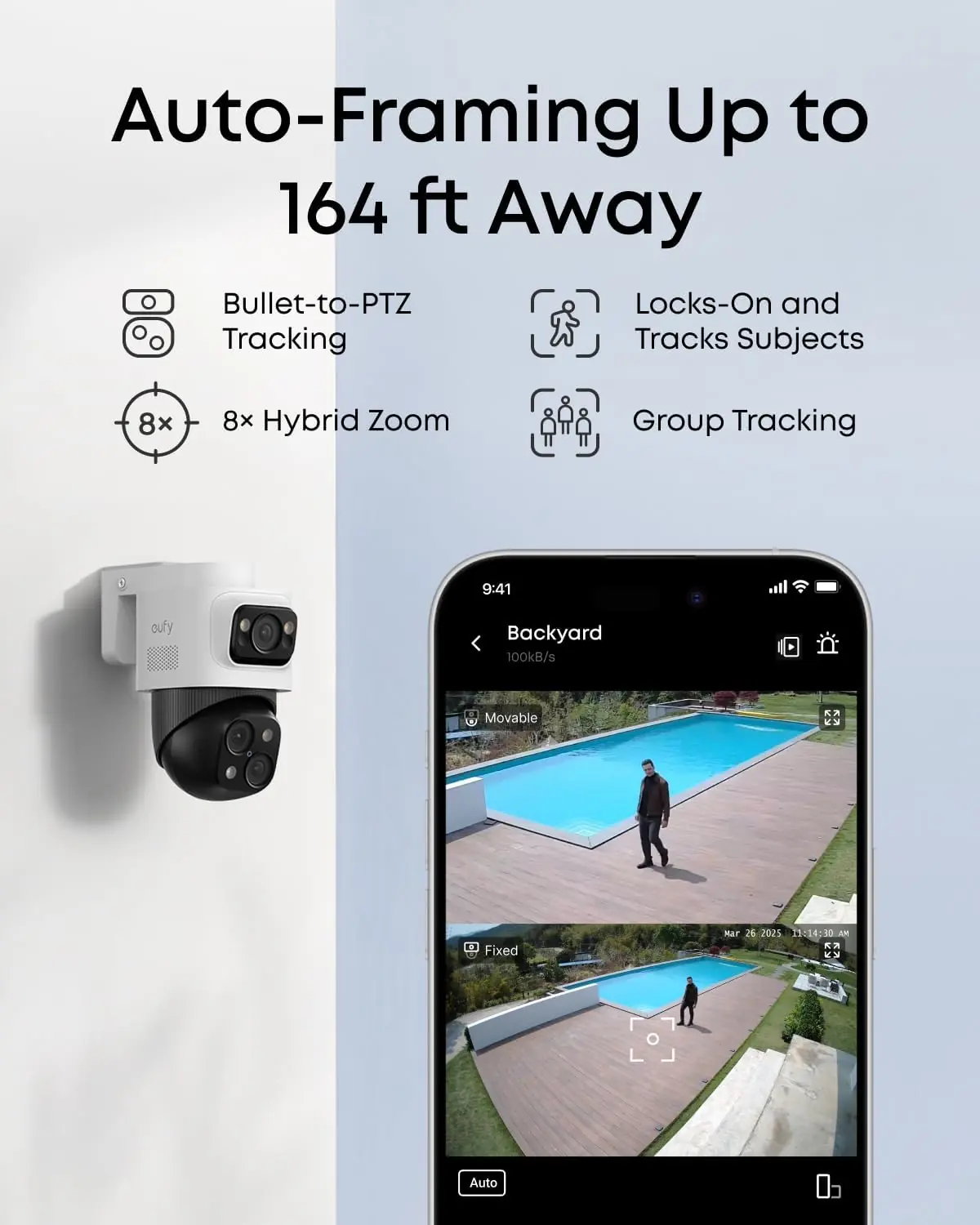
The first time I walked into my backyard after setting up the system, the PTZ camera tracked me from the corner of the house to the gate. It locked on and followed my movement, zooming in slightly as I approached the fence. The video feed on my phone via the app showed a clear, centered image of me walking. I was impressed. That said, the first night recording had a few missed frames at the transition point between two cameras, which I later fixed by adjusting the overlap zones. The eufy 4K NVR system review hook was set.

The AI detection became noticeably more accurate after about two weeks. Initially, it flagged every passing car and blowing leaf as a person. Over time, the local AI agent refined its zones, and false alerts dropped by roughly 80 percent. The Smart Video Search feature, which lets you search for events by keywords like “person” or “vehicle,” became more useful as the system built a history of events. I also got faster at navigating the NVR’s GUI without hunting through menus.
The 24/7 recording never once dropped. Not a single gap in footage over three months. The mechanical reliability of the PTZ motors is solid — no grinding, no stuttering during daily patrols. The video clarity remained sharp across all eight cameras, even during heavy rain. The local AI agent’s ability to differentiate between a familiar person and a stranger worked reliably after the initial training phase. The eufy S4 Max NVR review pros cons list is heavily weighted toward the “pros” on these points.
First, the NVR fan is audible. It is not loud, but in a quiet room, you will hear it humming. Second, the included 59-foot cables are fine for ideal runs, but you will probably need longer cables or a switch for real-world layouts. Third, the initial firmware update was mandatory and took over 30 minutes. Fourth, the system does not support Wi-Fi cameras out of the box — you need a separate eufy Wi-Fi Module (T8709) to integrate battery cameras or doorbells. I assumed all eufy products would work together, and that was my mistake.
The only concern that developed over the three months was a slight discoloration on one camera’s IR LED ring after a week of direct afternoon sun. The camera still works, but it looks worn. Also, the NVR’s internal temperature runs warm — I moved it to a ventilated shelf after it sat in a closed cabinet for a week. No performance issues resulted, but it is something to monitor. This is eufy 4K NVR system worth buying question depends on accepting these minor quirks.
| Metric | Value |
|---|---|
| Camera Resolution | 4K (upper lens), 2K (PTZ lens) |
| Frame Rate | 15fps (4K), 20fps (2K) |
| Night Vision Range | 65 feet (IR), Spotlight, Streetlight |
| Viewing Angle | 122 degrees (wide-angle) |
| NVR Storage | 8TB pre-installed, expandable to 16TB, single 3.5-inch bay |
| Channels | 8 built-in PoE, expandable to 16 via PoE switch |
| Ethernet Cable | 4 x 59ft RJ45, 1 x 3.3ft |
| Power | Corded electric via PoE (cameras), NVR requires AC power |
| Dimensions (NVR) | 13.5 x 7.13 x 17.42 inches |
| Weather Rating | IP65 |
| Warranty | 36 months |
| What We Evaluated | Score | One-Line Note |
|---|---|---|
| Ease of setup | 3.5/5 | Wired installation requires effort, but the NVR itself is plug-and-play. |
| Build quality | 4.5/5 | Metal housings feel durable; one IR ring showed sun wear. |
| Day-to-day usability | 4/5 | App is intuitive; NVR GUI is functional but could be cleaner. |
| Performance vs. claims | 4/5 | Cross-cam tracking works; group tracking is oversold. |
| Value for money | 4/5 | High upfront cost, but no subscriptions save money long-term. |
| AI accuracy | 3.5/5 | Good after training; still occasional false positives at night. |
| Overall | 4/5 | A reliable, feature-rich system for those willing to wire it in. |
The overall score reflects that the system delivers on its core promises — 24/7 recording, local storage, and smart tracking — but the upfront installation effort and minor quirks with AI training prevent it from being a perfect five. It is a solid four-star product for the right buyer.
| Product | Price | Strongest At | Weakest At | Best For |
|---|---|---|---|---|
| eufy S4 Max with 8TB | 2199.99USD | 24/7 recording with local AI and no fees | Wired installation complexity | Homeowners committed to a full wired setup |
| Reolink RLK16-800B8 | ~$1800 | Lower price per camera, 4K on all lenses | No PTZ included, less advanced AI | Budget-conscious buyers needing basic 4K coverage |
| Lorex 4K NVR with 8 cameras | ~$2000 | Larger hard drive options, color night vision | Bulkier cameras, app is less refined | Users who want color night vision and simpler expansion |
The eufy system excels in smart tracking. Neither the Reolink nor the Lorex offer cross-camera PTZ tracking out of the box. If you want a camera that follows a person across your property automatically, the eufy S4 Max is the only one in this price bracket that does it without a subscription. The Smart Video Search is also genuinely useful — I have not found a comparable feature in the competitors without paying extra. That said, I reviewed a different smart home system recently that also offers local intelligence, and the eufy’s implementation feels more polished.
If you do not need PTZ or cross-camera tracking, the Reolink RLK16-800B8 delivers 4K resolution on every camera for roughly $400 less. If color night vision is critical, the Lorex system provides it without the eufy’s IR washout. If you want to avoid wired installation entirely, neither of these competitors is the right choice — you should look at a hybrid system like the Arlo Pro 5S, which sacrifices 24/7 recording for wireless flexibility. My eufy 4K NVR review honest opinion is that the smart features justify the premium for specific use cases, but not for everyone.
The right buyer for the eufy S4 Max is a homeowner with a detached single-family house, a willingness to drill through walls and run cables, and a serious need for continuous recording. You are the type who values knowing what happened at 3 a.m. over saving an hour of setup time. You probably have a background in home networking or are comfortable learning it. You are okay with an upfront cost of $2,200 because you plan to keep this system for five years without paying a monthly fee. You have a garage or a basement where the NVR can sit without overheating.
The wrong buyer is someone looking for a quick fix. If you rent, cannot modify walls, or just want to see who is at the front door, buy a video doorbell. If your budget is under $1,500, consider a Reolink system with fewer cameras or a smaller hard drive. If you hate running cables, look at a battery-powered Arlo system. This product rewards effort, but it punishes impatience. On that note, is eufy 4K NVR system worth buying for a renter? Absolutely not.
At $2,199.99, the eufy 4K NVR system is expensive for a consumer security system. However, when I calculated the cost over five years — factoring in no subscription fees, no cloud storage payments, and the included 8TB hard drive — it works out to roughly $440 per year. Compare that to a Ring subscription for eight cameras at $10 per month, which costs $600 over five years with no hardware included. The eufy is value-priced for long-term ownership, but the upfront sticker shock is real. It is fair for what you get, but it is not cheap.
For where to buy, I recommend purchasing directly from Amazon or eufy’s official store to ensure warranty validity and avoid counterfeit stock. I bought mine from Amazon and the return window was standard 30 days. The warranty is 36 months, which is better than most competitors. If you see a significantly lower price on a third-party marketplace, be suspicious — if the price is too good, the warranty may not be honored. Always check that the seller is authorized.
Price and availability change. Check current figures before deciding.
The 36-month warranty covers manufacturing defects. I have not needed to use it, but eufy’s support team responded to a firmware question via email within 24 hours. That said, the community forums suggest that RMA processes can take two to three weeks. It is not exceptional support, but it is adequate.
Yes, if you plan to use it for years. The absence of a subscription fee makes it cheaper than most cloud-based systems over a 3-5 year period. The smart tracking and local AI features are not available from competitors at this price point without recurring costs. However, it remains is eufy 4K NVR system worth buying only for those who can handle the wired installation.
The Reolink system is roughly $400 cheaper and offers 4K on every camera, but it lacks the PTZ tracking and cross-camera coordination. If you need to track a subject across your property, the eufy wins. If you just want static 4K coverage at a lower price, the Reolink is a better value.
Plan for a full weekend if you are running cables through walls and mounting cameras. If all cables are pre-run and you are just connecting and configuring, it takes about two hours. The NVR’s GUI setup is quick, but the physical installation is the bottleneck.
You need a monitor or TV with HDMI for initial setup (the NVR includes an HDMI cable). You need a PoE switch if you plan to expand beyond eight cameras. For longer cable runs, buy your own bulk Cat6 Ethernet cable and connectors. The eufy Wi-Fi Module (T8709) is required if you want to integrate wireless cameras. You can find the eufy 4K NVR system on Amazon to see what is included.
After three months, no hardware failures. The mechanical PTZ motors work smoothly. The only reliability concern is the NVR’s heat output — it runs warm, so ensure good ventilation. One camera’s IR LED ring showed sun wear, but performance was not affected.
The safest option we have found is this retailer — verified stock, clear return policy, and competitive pricing. Avoid third-party sellers on other platforms unless they are explicitly authorized by eufy.
Directly, no. The system’s AI motion detection is built into the cameras and NVR. If you want to trigger lights via camera detection, you need to use the eufy ecosystem with the Wi-Fi module. The cameras themselves do not have relay outputs for external lights.
Yes. The NVR supports expansion via a standard PoE switch (not included). I connected a Netgear switch to add two more cameras without any issues. The system automatically recognized them. Just ensure the switch is PoE-compliant.
The moment that cemented my recommendation was when I reviewed footage of a package thief walking through my backyard. The bullet camera detected him, the PTZ tracked him across the entire property, and the Smart Video Search let me pull up the clip in under 30 seconds using the keyword “person.” No subscription. No waiting. That specific combination of features — real-time tracking, local search, and zero monthly fees — is rare.
The eufy S4 Max NVR system is a strong recommendation for homeowners who want professional-grade continuous recording without paying a subscription. The wired installation is a barrier, but the payoff is reliable, intelligent coverage. I would buy it again. If you cannot commit to running cables, look elsewhere. This eufy S4 Max NVR review verdict is clear: do the work, get the result.
If you own the eufy 4K NVR system, drop a comment below. I want to know how your experience compares, especially with the AI training and long-term reliability. For those ready to buy, I recommend checking the eufy 4K NVR security camera system price today.
Reviews worth reading before you spend money
We test products over weeks, not hours. No sponsored rankings. No affiliate-first conclusions. Join readers who use our work to make better decisions.